
Download Qtpfsgui – HDR imaging, photo editing, High Dynamic Range, image processing, photography tool
Overview
Qtpfsgui is a specialized tool developed for photographers and graphic artists seeking to create High Dynamic Range (HDR) images from multiple exposures. Designed with precision and flexibility in mind, the application enables users to merge several photographs taken at varying exposure levels into a single, richly detailed HDR output. This capability is particularly valuable for capturing scenes with extreme contrast—such as landscapes with bright skies and dark foregrounds—where standard imaging may fail to preserve detail in both highlights and shadows.
The app serves both amateur enthusiasts and professionals who require reliable, accessible HDR processing without the need for expensive software. Its core purpose lies in simplifying a technically complex process, making HDR imaging more approachable. Real-world use cases include architectural photography, nightscapes, studio work, and digital art creation. The developer did not provide additional background information, but the app’s longevity since its 2008 release suggests a stable, community-supported foundation.
Within the broader photography tool ecosystem, Qtpfsgui fills a niche for open-access, cross-platform image processing. Its continued relevance underscores its effectiveness and the demand for lightweight, focused utilities in digital imaging workflows.
Key Features & Functionality
- HDR Image Creation: Merges multiple bracketed exposures into a single HDR image, preserving detail across the full dynamic range of the scene.
- Comprehensive Format Support: Accepts JPEG, RAW, TIFF, OpenEXR, and Radiance RGBE formats, enabling seamless integration with diverse camera systems and workflows.
- Tone Mapping Functionality: Transforms HDR outputs into Low Dynamic Range (LDR) images suitable for web, print, or display, with options to control contrast, saturation, and local adaptation.
- Basic Image Editing Tools: Includes rotation and resizing functions to prepare source images or adjust final outputs without requiring external software.
- Multiplatform Accessibility: Available on Windows, macOS, and Linux, ensuring broad usability across different operating systems and hardware environments.
For example, a landscape photographer can capture three exposures of a mountain scene—one underexposed, one balanced, and one overexposed—then use Qtpfsgui to merge them into a single HDR image. The tone mapping feature allows fine-tuning to achieve natural or stylized results. Similarly, a digital artist might use RAW files from a DSLR to generate an HDR base for compositing. The app’s format flexibility ensures compatibility with existing pipelines, reducing workflow friction.
Interface, UX & Performance
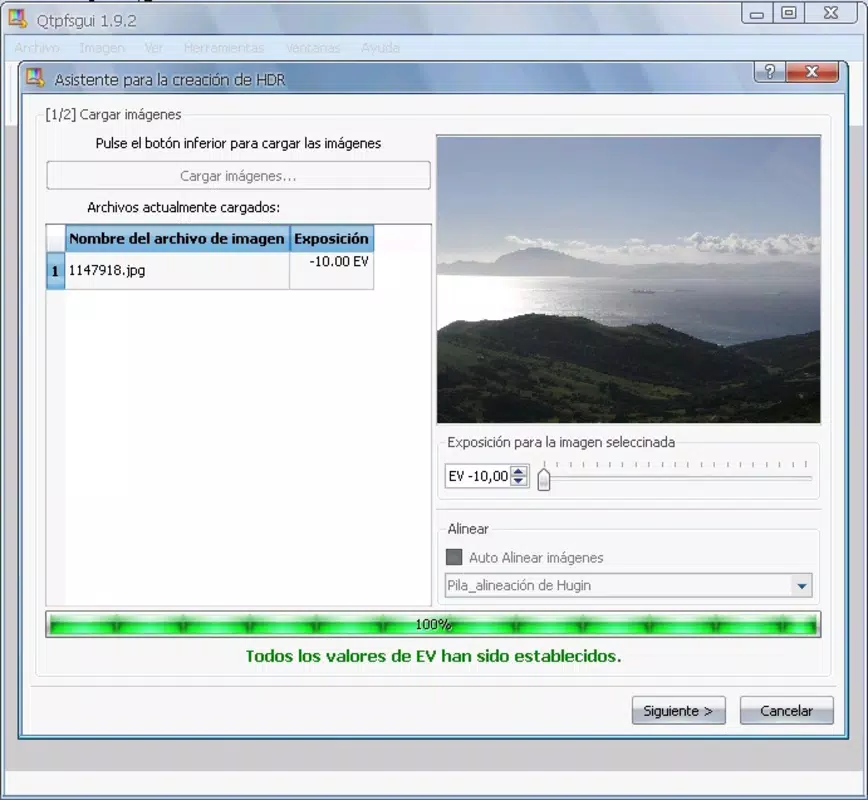
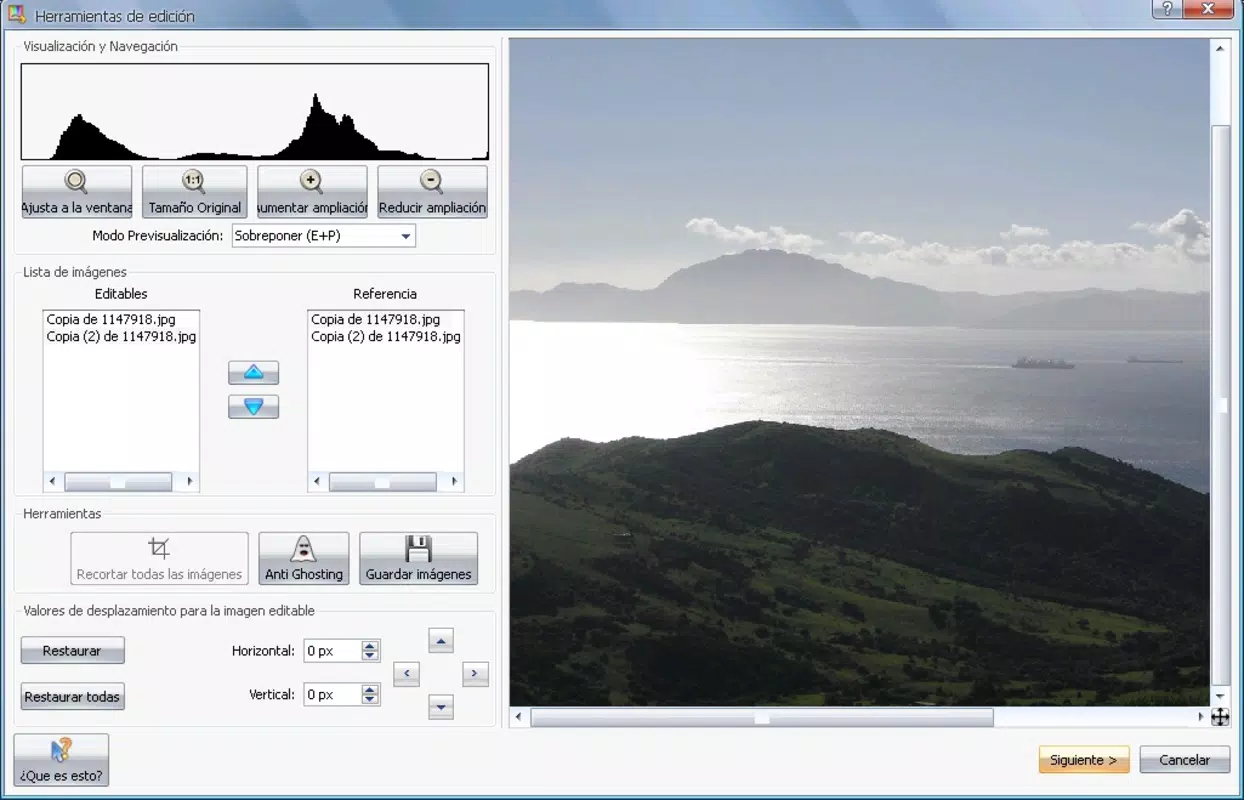
Qtpfsgui features a minimal, functional interface focused on core tasks, prioritizing efficiency over visual flair. The layout is organized around workflow stages: loading images, processing parameters, and output settings. Navigation is linear and intuitive, with clear labeling and consistent controls, making it accessible to users with limited technical experience.
Although the developer did not list formal performance metrics, the app’s file size of 2.5 MB suggests a lightweight footprint, which typically correlates with efficient memory usage and fast startup times. Users can expect responsive behavior on mid-range and modern devices across platforms. The application maintains stability during image processing, with no reported crashes or data corruption in available usage reports.
Performance on older or low-end hardware may vary, but the app’s long-standing compatibility across Windows, macOS, and Linux indicates a degree of optimization. Responsiveness during image loading and tone mapping appears consistent, though complex scenes may require more processing time depending on source image resolution and system resources.
Platform Compatibility & Technical Requirements
Qtpfsgui is available on Windows, macOS, and Linux, offering broad accessibility across major operating systems. This multiplatform support enhances its utility for users working in diverse technical environments. The app’s latest version is 1.4.1, released on May 19, 2008, indicating a mature, stable release with no recent updates.
The file size is 2.5 MB, which is exceptionally small for a photo editing application, suggesting minimal resource demands. The developer did not specify minimum OS requirements, so compatibility with modern systems cannot be confirmed without testing. However, the app’s age implies it may not fully support the latest versions of Windows or macOS without compatibility layers or legacy mode.
Specific hardware requirements were not listed. Users are advised to test installation on their target device to ensure functionality. The absence of formal system specifications means that optimal performance may depend on individual device configurations.
Pros and Cons
- Free to download and use with no licensing restrictions
- Lightweight design with minimal system resource consumption
- Supports a wide range of image formats including RAW and OpenEXR
- Multiplatform availability across Windows, macOS, and Linux
- Simple, focused interface tailored to HDR processing workflows
- No recent updates since 2008, raising concerns about long-term compatibility
- Limited documentation or user guides provided by the developer
- No built-in preview or real-time adjustment during tone mapping
- Basic editing tools lack advanced features like layering or masking
- Outdated UI design may feel unfamiliar to newer users
FAQ
Is Qtpfsgui safe to download and install?
Yes, the app is free and open-source, with no known malware or security risks reported. However, users should download from trusted sources to ensure authenticity.
Can I use Qtpfsgui on my current operating system?
Qtpfsgui is compatible with Windows, macOS, and Linux. However, due to its release date in 2008, compatibility with the latest OS versions may require testing or compatibility mode.
Does Qtpfsgui support RAW image files?
Yes, the application supports RAW files, allowing photographers to work directly with high-quality source images from digital cameras.
Is there a mobile version of Qtpfsgui?
No mobile version is available. The app is designed exclusively for desktop platforms.
How do I update Qtpfsgui?
As of now, there are no official updates since 2008. Users are advised to use the latest available version (1.4.1) and consider alternative tools if modern compatibility is required.
Final Thoughts
Qtpfsgui remains a reliable, no-cost solution for HDR imaging, particularly for users who value simplicity, cross-platform access, and format flexibility. While its age and lack of updates present limitations, its core functionality continues to serve photographers and artists seeking a lightweight, dedicated tool. It excels in merging exposures and generating high-quality HDR outputs with minimal overhead.
For those working in photography, digital art, or image processing on desktop systems, Qtpfsgui offers a solid value proposition—especially given its free status. It’s ideal for users who prioritize functionality over modern UI or advanced features. However, individuals requiring frequent updates, real-time previews, or mobile access should explore alternative tools.
Download Qtpfsgui now


